
Watson Multi Stopwatch Timer2.6.0 - Google Play
You'll be able to see results in few seconds.
Publisher Description
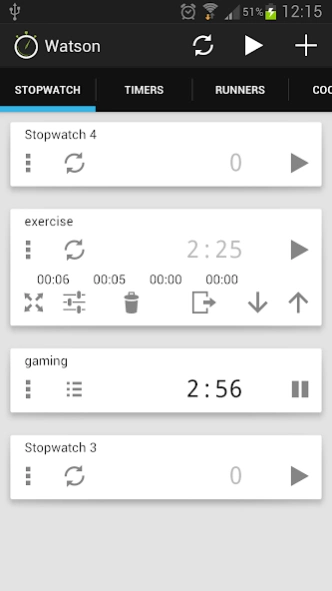
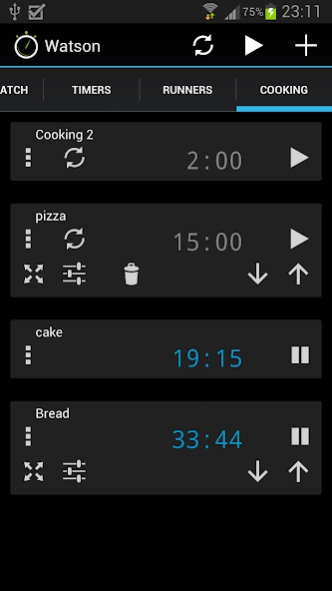
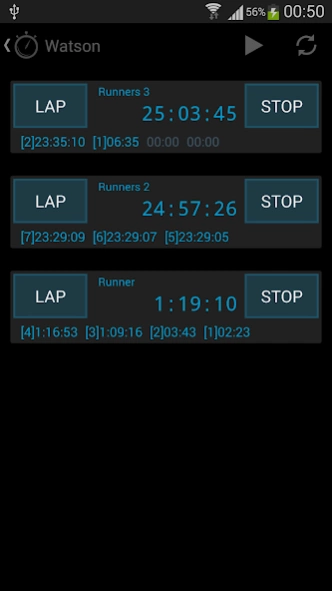
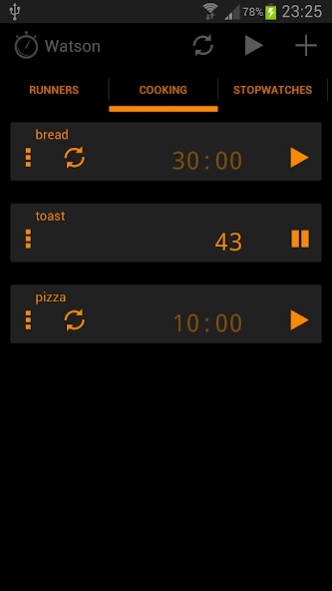
Free multiple talking stopwatch and timer utility with a multi-page layout
Watson is a free multiple stopwatch and timer app using an intuitive multi page layout. Each page can represent a different category, e.g. cooking, exercise, work, games, use it as a kitchen timer, a sports stopwatch for timing multiple contestants in a race, or measuring time spent on client work. You can easily name your pages and timers, so its easy to identify what being timed.
There is no limit to number of pages you can have, and you can place multiple stopwatches or timers per page. You can start, stop each stopwatch or timer individually, or all at the same time. Each stopwatch or timer can be easily identified as you can set a unique title for each one.
Watson continues to track the time even if you use another application, switch off the phone, or even remove the battery.
All timings are stored in a database, so you can exit the application, even reboot your phone or tablet, Watson will still be tracking when you start the app again. The application does not use a service, so there no battery drain when the application is not in view.
You can also publish you stopwatch times to the whendidi application, letting you gather a history of your timings, and making it easy to track your progress.
Note this application is ad-supported, which can be removed by purchasing the WatsonKey.
** Feature List **
Multiple pages
Multiple stopwatches per page
Multiple timers per page
Lap times
Free version of this app has all features
Tablet user interface support
Talking count up/ count down
Completion speech
Stopwatch max hours is 999
Max timer hours is 99
Database backup, can survive a reboot
Titles or easy identification
Start, reset, pause all stopwatches or timers at the same time
Publish your timings to the whendidi application
Timer notifications with optional ringtones
Optionally start/stop using volume controls
Optional tenths of a second.
** Permissions **
Network Communication - for google ads and crash reports
Hardware Control - to allow stopping and starting using volume control (configurable)
Wake lock - ensures that speech is available when phone is in sleep mode
System tools - to reinstate timer notification after a reboot
Read external storage - to allow external ringtones to be played
About Watson Multi Stopwatch Timer
The company that develops Watson Multi Stopwatch Timer is SJM Apps. The latest version released by its developer is 2.6.0.
To install Watson Multi Stopwatch Timer on your Android device, just click the green Continue To App button above to start the installation process. The app is listed on our website since 2018-09-15 and was downloaded 0 times. We have already checked if the download link is safe, however for your own protection we recommend that you scan the downloaded app with your antivirus. Your antivirus may detect the Watson Multi Stopwatch Timer as malware as malware if the download link to com.sjm.apps.watson is broken.
How to install Watson Multi Stopwatch Timer on your Android device:
- Click on the Continue To App button on our website. This will redirect you to Google Play.
- Once the Watson Multi Stopwatch Timer is shown in the Google Play listing of your Android device, you can start its download and installation. Tap on the Install button located below the search bar and to the right of the app icon.
- A pop-up window with the permissions required by Watson Multi Stopwatch Timer will be shown. Click on Accept to continue the process.
- Watson Multi Stopwatch Timer will be downloaded onto your device, displaying a progress. Once the download completes, the installation will start and you'll get a notification after the installation is finished.
Program Details
System requirements
Download information
Pricing
Version History
version 2.6.0
posted on 2018-09-15
Top bar menu icons can be configured with the following
Setting -> Stopwatch -> Top Bar Menu Items
Setting -> Timers -> Top Bar Menu Items
version 2.6.0
posted on 2018-09-15
Top bar menu icons can be configured with the following
Setting -> Stopwatch -> Top Bar Menu Items
Setting -> Timers -> Top Bar Menu Items
version 2.4.0
posted on 2016-09-26
v2.4.0,- Auto publish to WhenDidI when timer expires,- Clear notification on time clicked,- READ_EXTERNAL storage added to enable downloaded ringtones
version 1.1
posted on 2013-06-01
Several fixes and updates
Disclaimer
Official Google Play Link
We do not host Watson Multi Stopwatch Timer on our servers. We did not scan it for viruses, adware, spyware or other type of malware. This app is hosted by Google and passed their terms and conditions to be listed there. We recommend caution when installing it.
The Google Play link for Watson Multi Stopwatch Timer is provided to you by apps112.com without any warranties, representations or guarantees of any kind, so access it at your own risk.
If you have questions regarding this particular app contact the publisher directly. For questions about the functionalities of apps112.com contact us.
